I still remember the day Apple killed rose gold. March 2019. The 12-inch MacBook disappeared from the online store. No announcement. No farewell. Just gone. Along with that gorgeous pinkish-gold finish.
Fast forward to 2026. People still ask me about it. Clients want it for their social media photos. Students search for it because they fell in love with a friend's old machine. Businesses want something that stands out from the sea of silver laptops.
Here is the complete truth about finding a rose gold MacBook today. And the smart alternatives you should actually buy.
Why Rose Gold MacBooks Disappeared?
The rose gold MacBook only ever existed on one model. The 12-inch MacBook. Launched in 2015. Discontinued in 2019. Four short years. Apple designed that machine to be impossibly thin. 0.88 pounds. Fanless. One USB-C port. Beautiful to look at. Painful to use.
Read Also: When will the Apple MacBook Pro M5 chip model be released?
The processor was the problem. Intel's Core M series prioritized low power over performance. The machine choked on anything beyond basic web browsing. Open Photoshop? Wait ten seconds for a filter to apply. Multiple tabs? The fanless design meant thermal throttling. Everything slowed down.
By 2018, the MacBook Air had caught up in thinness while offering real performance. The 12-inch MacBook became redundant. Apple pulled the plug.
Rose gold had no home on the Air or Pro lineup. Starlight became the replacement. Warmer than silver. Less pink than rose gold. More universally appealing.
One Apple designer reportedly said rose gold tested poorly with business customers. Too flashy. Too feminine. Not serious enough for the boardroom. Starlight hit the sweet spot. Distinct but professional.
The Used Market Reality Check
You can find rose gold MacBooks on eBay, Facebook Marketplace, and Craigslist. Prices range from 150to150to500 depending on condition.
Here is what you are actually buying:
2016 model: Intel Core m3, 8GB RAM, 256GB SSD. m3 is the slowest of the slow. Geekbench single-core score around 700. For comparison, an M1 MacBook Air scores 1,700. Nearly 2.5x faster.
2017 model: Slightly faster m3 or m5 options. Same 8GB RAM limit. Same thermal problems. Same single USB-C port for everything.
Common issues with used rose gold MacBooks:
Battery swelling: Every single one of these machines is 7-9 years old. Lithium-ion batteries degrade. They swell. The 12-inch MacBook has zero room inside. Swelling cracks the trackpad and warps the chassis.
Keyboard failure: The butterfly keyboard mechanism. Apple's worst design ever. Dust kills keys. Repair costs more than the laptop is worth.
Display delamination: The anti-reflective coating peels off. Leaves permanent marks on the screen.
USB-C port failure: One port does charging, data, and video. When it breaks, the machine is a brick.
I checked sold listings last week. A "mint condition" 2017 rose gold MacBook sold for $420. The seller claimed "light use." The photos showed no visible damage. But that battery has 7 years of chemical aging. That keyboard has 7 years of dust. The buyer got a ticking time bomb.
Do not spend more than $200 on a rose gold MacBook. Even that feels risky. Treat it as a collectible, not a computer.
Starlight: The Spiritual Successor
Let me show you the difference between rose gold and starlight.
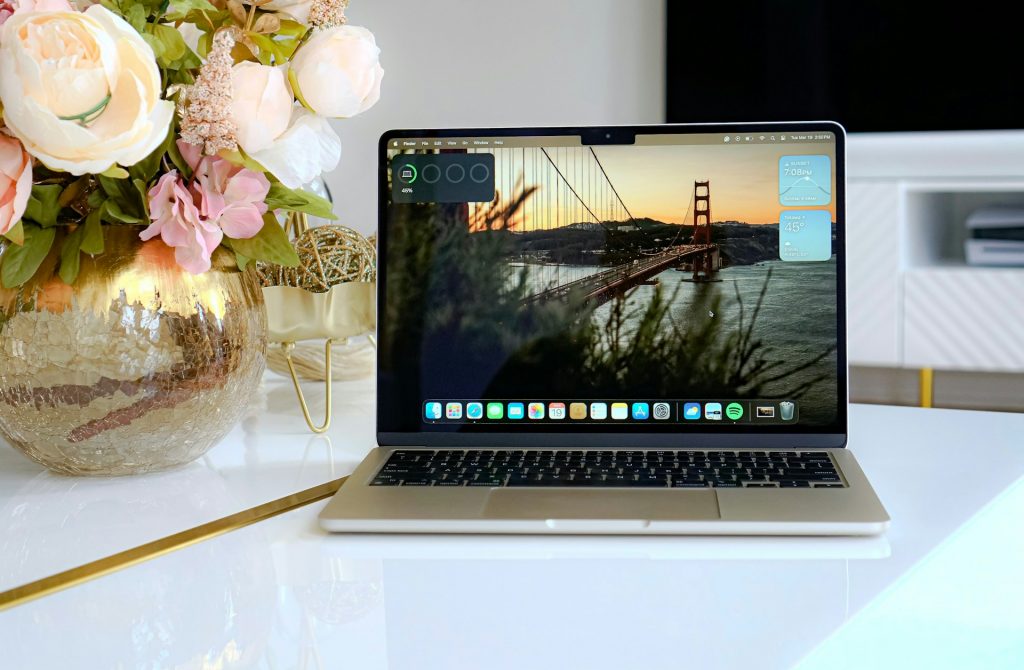
I placed my old rose gold 12-inch MacBook next to a new starlight MacBook Air. In direct sunlight, rose gold shows distinct pink. Warm. Almost coppery in some light. Starlight reads as champagne. Gold with a hint of beige. No pink.
In office lighting, the difference shrinks. Both look like premium metallic finishes. Both stand out from silver and gray. Most people cannot tell them apart from six feet away.
Starlight is available on:
MacBook Air 13-inch and 15-inch (M3, M4, and M5 models)
MacBook Pro 14-inch and 16-inch (M5 Pro and M5 Max)
iMac 24-inch
Magic Keyboard and Magic Mouse
The finish holds up better than rose gold too. The anodization process improved over the years. Starlight resists scratches and fingerprints better than midnight or space gray.
One client bought a starlight MacBook Air for her real estate business. She wanted something warm and approachable for client meetings. Not generic silver. Not aggressive space gray. Starlight works perfectly. Looks expensive without screaming for attention.
Blush Pink: The New Kid
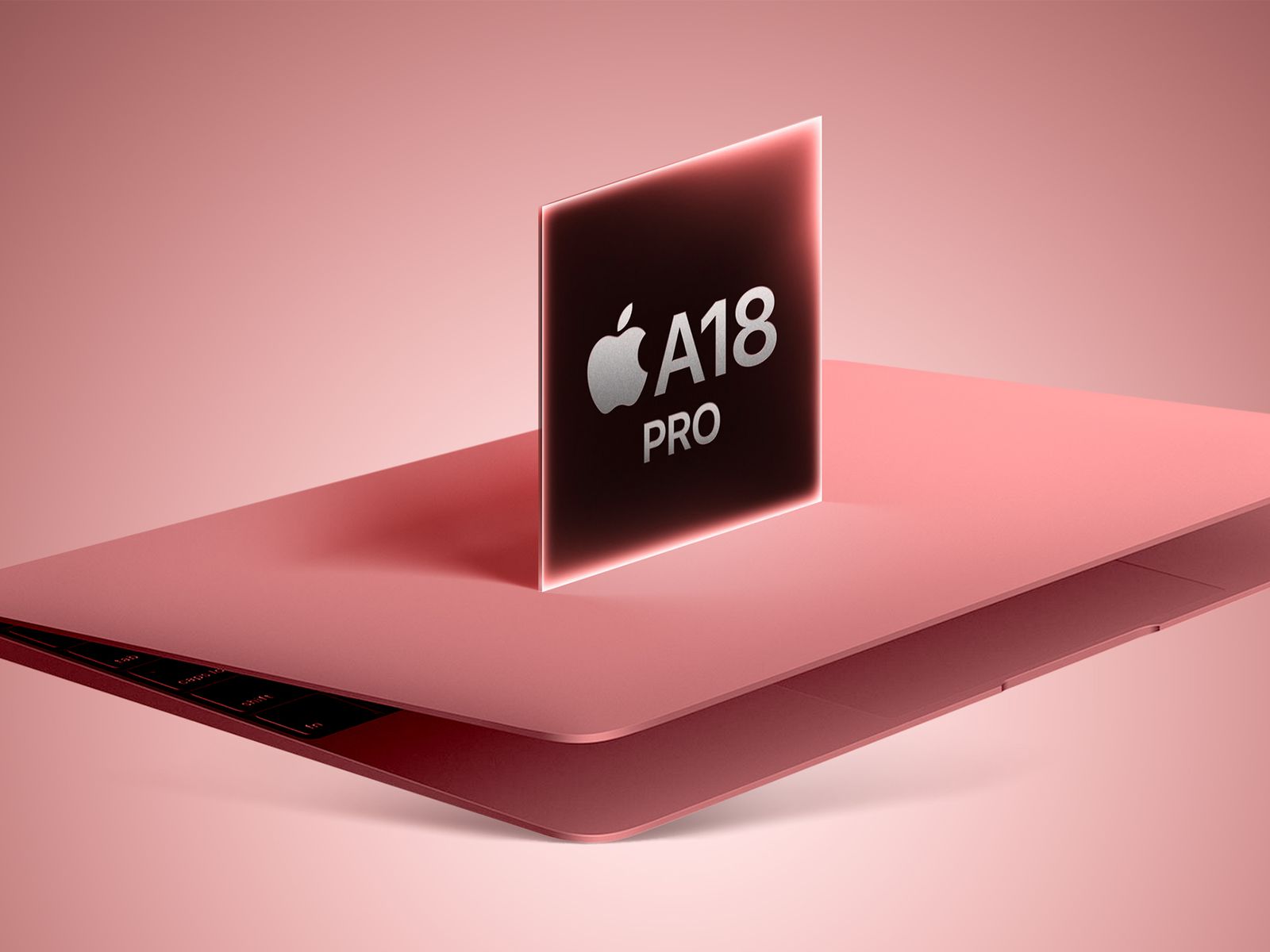
Apple launched the MacBook Neo in early 2026. A more affordable line aimed at students and first-time Mac buyers. A18 Pro chip instead of M-series. Same build quality. Lower price.
One color stopped people scrolling. Blush pink. Apple calls it "胭粉色" in Chinese markets. A true pink. Not rose gold. Not starlight. Pink.
Blush pink specs:
Available on MacBook Neo only (not Air or Pro)
12-inch or 13-inch display options
A18 Pro chip with 16-core Neural Engine
Starts at $899
Limited availability (Asia-Pacific first, Europe and North America later in 2026)
I saw blush pink in person at a tech conference last month. It is bold. Pinker than any Mac has ever been. The finish has a slight matte texture. Feels different from standard MacBook anodization. Less slippery.
Students love it. Gen Z buyers love it. Business buyers? Probably not. Too loud for most offices.
If you want pink and you want new, blush pink MacBook Neo is your only option. Check Apple's regional website. Available now in Taiwan, Japan, South Korea, Australia . Coming to Europe and North America later this year.
Color Comparison: All Your 2026 Options
Here is every MacBook Air color available today and how they compare:
Silver – The original. Bright metallic. Classic. Hides scratches and fingerprints better than any other finish. Never looks dirty. Never goes out of style. Boring but reliable.
Space Gray – Darker than silver. Professional. Shows fingerprints less than midnight. Shows them more than silver. Middle ground for people who want dark but not midnight.
Starlight – Warm champagne gold. Closest to rose gold. Looks expensive. Flattering in photos. Works for personal and business use. My personal pick.
Midnight – Deep blue-black. Striking in photos. Frustrating in real life. Every fingerprint shows. Every smudge. You will wipe this down daily. Some people love the look enough to tolerate the maintenance.
Sky Blue – Light, cool blue. New for 2026. Fresh. Trendy. Less serious than starlight. Less demanding than midnight. Early sales data shows this as the most popular MacBook Air color in Asia-Pacific markets.
Product Red – Special edition. Only available through Apple's online store. 100% of profits go to HIV/AIDS programs in Africa. Bold red finish. Not for everyone. Makes a statement.
Which MacBook to Buy in 2026 (By Use Case)
Stop focusing on color first. Choose the right machine. Then pick from available colors.
Best MacBook for everyday use: MacBook Air 13-inch M5. 16GB RAM. 512GB storage. Starlight or silver. Enough power for all normal tasks. Light enough to carry everywhere. Battery lasts two workdays.
Best MacBook for business: MacBook Air 15-inch M5. Same performance as 13-inch. Larger screen for spreadsheets and presentations. Starlight or space gray. The 15-inch looks more substantial on a conference table.
Best MacBook for students: MacBook Air 13-inch M4 (previous generation, discounted). Or MacBook Neo A18 Pro if available. Blush pink if you want fun. Silver if you want resale value.
Best MacBook for creators: MacBook Pro 14-inch M5 Pro. Midnight or starlight. The extra ports matter. HDMI and SD card slot save you from dongles. The XDR display shows accurate color for photo and video work.
Best MacBook for budget buyers: MacBook Air 13-inch M4 refurbished from Apple. Save $200-300. Same warranty as new. Silver is most common. Colors limited to what Apple has in stock.
MacBook Air vs MacBook Neo: What Changed in 2026
The MacBook Neo complicates the buying decision. Let me simplify.
The Neo runs a variant of iPadOS, not full macOS. You cannot install apps from outside the Mac App Store. No Homebrew. No terminal for developers. Limited to what Apple approves.
For a student taking notes, watching Netflix, and writing papers, the Neo works fine. For anyone doing real work, buy the Air.
Blush pink only on Neo. Want pink? Buy Neo. Want performance? Buy Air in starlight.
The Skin Solution: Best of Both Worlds
Here is the smartest move. Buy a current MacBook Air in silver or starlight. Then add a rose gold vinyl skin.
Why skins work better:
Protects the actual laptop from scratches
Costs $30-50 instead of hunting rare old hardware
Removable when you sell or change your mind
Looks 90% like real rose gold from normal viewing distance
Available for every current MacBook model
Best skin brands:
dBrand – Most precise cutouts. Feels premium. Easy to install with their video guide. Rose gold color called "Pastel Pink" or "Rose Gold" depending on the line. $44.95 for full top, bottom, and trackpad.
Fishskins – More color options. Offers a true "Rose Gold" that matches the original 12-inch MacBook closely. $39.95 for full coverage.
Sopiguard – Cheaper at $29.95. Slightly less precise fit. Fine if you use a case or sleeve. Not as durable as dBrand.
I skinned a silver MacBook Air for a client last month. She runs a wedding photography business. Wanted rose gold for her in-person sales sessions. Matches her brand colors. Did not want to buy outdated hardware. The skin took 20 minutes to apply. Looks fantastic. She gets compliments at every client meeting.
The Final Thoughts
Can you buy a rose gold MacBook in 2026? Yes, used. Should you? Almost certainly no. The 12-inch MacBook is too old. Too slow. Too unreliable for daily use.
Your actual best options:
New MacBook Air in starlight – Closest color Apple currently sells. Professional. Available. Reliable.
New MacBook Neo in blush pink – True pink. Budget price. Limited availability. Runs iPadOS, not full macOS.
Silver or starlight Air with rose gold skin – Smartest move. Current hardware. Desired color. Removable. Protects your investment.
The most popular MacBook Air color 2026 varies by region. Sky blue leads in Asia-Pacific. Starlight is rising fast in North America and Europe. Silver remains the global bestseller by volume.
Do not let color nostalgia push you into bad hardware. Buy the best MacBook for your actual needs. Make it look how you want with a skin or case. Your future self will thank you when your laptop still works two years from now.
Read Also : Dive into the Digital Playground: A Guide to IO Games
 Luciano Paul
I still remember the day Apple killed rose gold. March 2019. The 12-inch MacBook disappeared from the online store. No announcement. No farewell. Just gone. Along with that gorgeous pinkish-gold finish.
Fast forward to 2026. People still ask me about it. Clients want it for their social media photos. Students search for it because they fell in love with a friend's old machine. Businesses want something that stands out from the sea of silver laptops.
Here is the complete truth about finding a rose gold MacBook today. And the smart alternatives you should actually buy.
Why Rose Gold MacBooks Disappeared?
The rose gold MacBook only ever existed on one model. The 12-inch MacBook. Launched in 2015. Discontinued in 2019. Four short years. Apple designed that machine to be impossibly thin. 0.88 pounds. Fanless. One USB-C port. Beautiful to look at. Painful to use.
Read Also: When will the Apple MacBook Pro M5 chip model be released?
The processor was the problem. Intel's Core M series prioritized low power over performance. The machine choked on anything beyond basic web browsing. Open Photoshop? Wait ten seconds for a filter to apply. Multiple tabs? The fanless design meant thermal throttling. Everything slowed down.
By 2018, the MacBook Air had caught up in thinness while offering real performance. The 12-inch MacBook became redundant. Apple pulled the plug.
Rose gold had no home on the Air or Pro lineup. Starlight became the replacement. Warmer than silver. Less pink than rose gold. More universally appealing.
One Apple designer reportedly said rose gold tested poorly with business customers. Too flashy. Too feminine. Not serious enough for the boardroom. Starlight hit the sweet spot. Distinct but professional.
The Used Market Reality Check
You can find rose gold MacBooks on eBay, Facebook Marketplace, and Craigslist. Prices range from 150to150to500 depending on condition.
Here is what you are actually buying:
2016 model: Intel Core m3, 8GB RAM, 256GB SSD. m3 is the slowest of the slow. Geekbench single-core score around 700. For comparison, an M1 MacBook Air scores 1,700. Nearly 2.5x faster.
2017 model: Slightly faster m3 or m5 options. Same 8GB RAM limit. Same thermal problems. Same single USB-C port for everything.
Common issues with used rose gold MacBooks:
Battery swelling: Every single one of these machines is 7-9 years old. Lithium-ion batteries degrade. They swell. The 12-inch MacBook has zero room inside. Swelling cracks the trackpad and warps the chassis.
Keyboard failure: The butterfly keyboard mechanism. Apple's worst design ever. Dust kills keys. Repair costs more than the laptop is worth.
Display delamination: The anti-reflective coating peels off. Leaves permanent marks on the screen.
USB-C port failure: One port does charging, data, and video. When it breaks, the machine is a brick.
I checked sold listings last week. A "mint condition" 2017 rose gold MacBook sold for $420. The seller claimed "light use." The photos showed no visible damage. But that battery has 7 years of chemical aging. That keyboard has 7 years of dust. The buyer got a ticking time bomb.
Do not spend more than $200 on a rose gold MacBook. Even that feels risky. Treat it as a collectible, not a computer.
Starlight: The Spiritual Successor
Let me show you the difference between rose gold and starlight.
I placed my old rose gold 12-inch MacBook next to a new starlight MacBook Air. In direct sunlight, rose gold shows distinct pink. Warm. Almost coppery in some light. Starlight reads as champagne. Gold with a hint of beige. No pink.
In office lighting, the difference shrinks. Both look like premium metallic finishes. Both stand out from silver and gray. Most people cannot tell them apart from six feet away.
Starlight is available on:
MacBook Air 13-inch and 15-inch (M3, M4, and M5 models)
MacBook Pro 14-inch and 16-inch (M5 Pro and M5 Max)
iMac 24-inch
Magic Keyboard and Magic Mouse
The finish holds up better than rose gold too. The anodization process improved over the years. Starlight resists scratches and fingerprints better than midnight or space gray.
One client bought a starlight MacBook Air for her real estate business. She wanted something warm and approachable for client meetings. Not generic silver. Not aggressive space gray. Starlight works perfectly. Looks expensive without screaming for attention.
Blush Pink: The New Kid
Apple launched the MacBook Neo in early 2026. A more affordable line aimed at students and first-time Mac buyers. A18 Pro chip instead of M-series. Same build quality. Lower price.
One color stopped people scrolling. Blush pink. Apple calls it "胭粉色" in Chinese markets. A true pink. Not rose gold. Not starlight. Pink.
Blush pink specs:
Available on MacBook Neo only (not Air or Pro)
12-inch or 13-inch display options
A18 Pro chip with 16-core Neural Engine
Starts at $899
Limited availability (Asia-Pacific first, Europe and North America later in 2026)
I saw blush pink in person at a tech conference last month. It is bold. Pinker than any Mac has ever been. The finish has a slight matte texture. Feels different from standard MacBook anodization. Less slippery.
Students love it. Gen Z buyers love it. Business buyers? Probably not. Too loud for most offices.
If you want pink and you want new, blush pink MacBook Neo is your only option. Check Apple's regional website. Available now in Taiwan, Japan, South Korea, Australia . Coming to Europe and North America later this year.
Color Comparison: All Your 2026 Options
Here is every MacBook Air color available today and how they compare:
Silver – The original. Bright metallic. Classic. Hides scratches and fingerprints better than any other finish. Never looks dirty. Never goes out of style. Boring but reliable.
Space Gray – Darker than silver. Professional. Shows fingerprints less than midnight. Shows them more than silver. Middle ground for people who want dark but not midnight.
Starlight – Warm champagne gold. Closest to rose gold. Looks expensive. Flattering in photos. Works for personal and business use. My personal pick.
Midnight – Deep blue-black. Striking in photos. Frustrating in real life. Every fingerprint shows. Every smudge. You will wipe this down daily. Some people love the look enough to tolerate the maintenance.
Sky Blue – Light, cool blue. New for 2026. Fresh. Trendy. Less serious than starlight. Less demanding than midnight. Early sales data shows this as the most popular MacBook Air color in Asia-Pacific markets.
Product Red – Special edition. Only available through Apple's online store. 100% of profits go to HIV/AIDS programs in Africa. Bold red finish. Not for everyone. Makes a statement.
Which MacBook to Buy in 2026 (By Use Case)
Stop focusing on color first. Choose the right machine. Then pick from available colors.
Best MacBook for everyday use: MacBook Air 13-inch M5. 16GB RAM. 512GB storage. Starlight or silver. Enough power for all normal tasks. Light enough to carry everywhere. Battery lasts two workdays.
Best MacBook for business: MacBook Air 15-inch M5. Same performance as 13-inch. Larger screen for spreadsheets and presentations. Starlight or space gray. The 15-inch looks more substantial on a conference table.
Best MacBook for students: MacBook Air 13-inch M4 (previous generation, discounted). Or MacBook Neo A18 Pro if available. Blush pink if you want fun. Silver if you want resale value.
Best MacBook for creators: MacBook Pro 14-inch M5 Pro. Midnight or starlight. The extra ports matter. HDMI and SD card slot save you from dongles. The XDR display shows accurate color for photo and video work.
Best MacBook for budget buyers: MacBook Air 13-inch M4 refurbished from Apple. Save $200-300. Same warranty as new. Silver is most common. Colors limited to what Apple has in stock.
MacBook Air vs MacBook Neo: What Changed in 2026
The MacBook Neo complicates the buying decision. Let me simplify.
The Neo runs a variant of iPadOS, not full macOS. You cannot install apps from outside the Mac App Store. No Homebrew. No terminal for developers. Limited to what Apple approves.
For a student taking notes, watching Netflix, and writing papers, the Neo works fine. For anyone doing real work, buy the Air.
Blush pink only on Neo. Want pink? Buy Neo. Want performance? Buy Air in starlight.
The Skin Solution: Best of Both Worlds
Here is the smartest move. Buy a current MacBook Air in silver or starlight. Then add a rose gold vinyl skin.
Why skins work better:
Protects the actual laptop from scratches
Costs $30-50 instead of hunting rare old hardware
Removable when you sell or change your mind
Looks 90% like real rose gold from normal viewing distance
Available for every current MacBook model
Best skin brands:
dBrand – Most precise cutouts. Feels premium. Easy to install with their video guide. Rose gold color called "Pastel Pink" or "Rose Gold" depending on the line. $44.95 for full top, bottom, and trackpad.
Fishskins – More color options. Offers a true "Rose Gold" that matches the original 12-inch MacBook closely. $39.95 for full coverage.
Sopiguard – Cheaper at $29.95. Slightly less precise fit. Fine if you use a case or sleeve. Not as durable as dBrand.
I skinned a silver MacBook Air for a client last month. She runs a wedding photography business. Wanted rose gold for her in-person sales sessions. Matches her brand colors. Did not want to buy outdated hardware. The skin took 20 minutes to apply. Looks fantastic. She gets compliments at every client meeting.
The Final Thoughts
Can you buy a rose gold MacBook in 2026? Yes, used. Should you? Almost certainly no. The 12-inch MacBook is too old. Too slow. Too unreliable for daily use.
Your actual best options:
New MacBook Air in starlight – Closest color Apple currently sells. Professional. Available. Reliable.
New MacBook Neo in blush pink – True pink. Budget price. Limited availability. Runs iPadOS, not full macOS.
Silver or starlight Air with rose gold skin – Smartest move. Current hardware. Desired color. Removable. Protects your investment.
The most popular MacBook Air color 2026 varies by region. Sky blue leads in Asia-Pacific. Starlight is rising fast in North America and Europe. Silver remains the global bestseller by volume.
Do not let color nostalgia push you into bad hardware. Buy the best MacBook for your actual needs. Make it look how you want with a skin or case. Your future self will thank you when your laptop still works two years from now.
Read Also : Dive into the Digital Playground: A Guide to IO Games