If you are strolling digital advertising and marketing campaigns, understanding which channels, ads, or content material pressure the most traffic and conversions is critical. That’s in which UTM parameters are available in. These small snippets of textual content introduced to the end of a URL will let you song the performance of your campaigns in Google Analytics and different tracking gear.
In this blog, we’ll give an explanation for what UTM parameters are, why they may be essential, and how you can set them up effectively to monitor your advertising campaigns successfully.
Read Also: What strategy would you implement to achieve a successful marketing campaign?
What Are UTM Parameters?
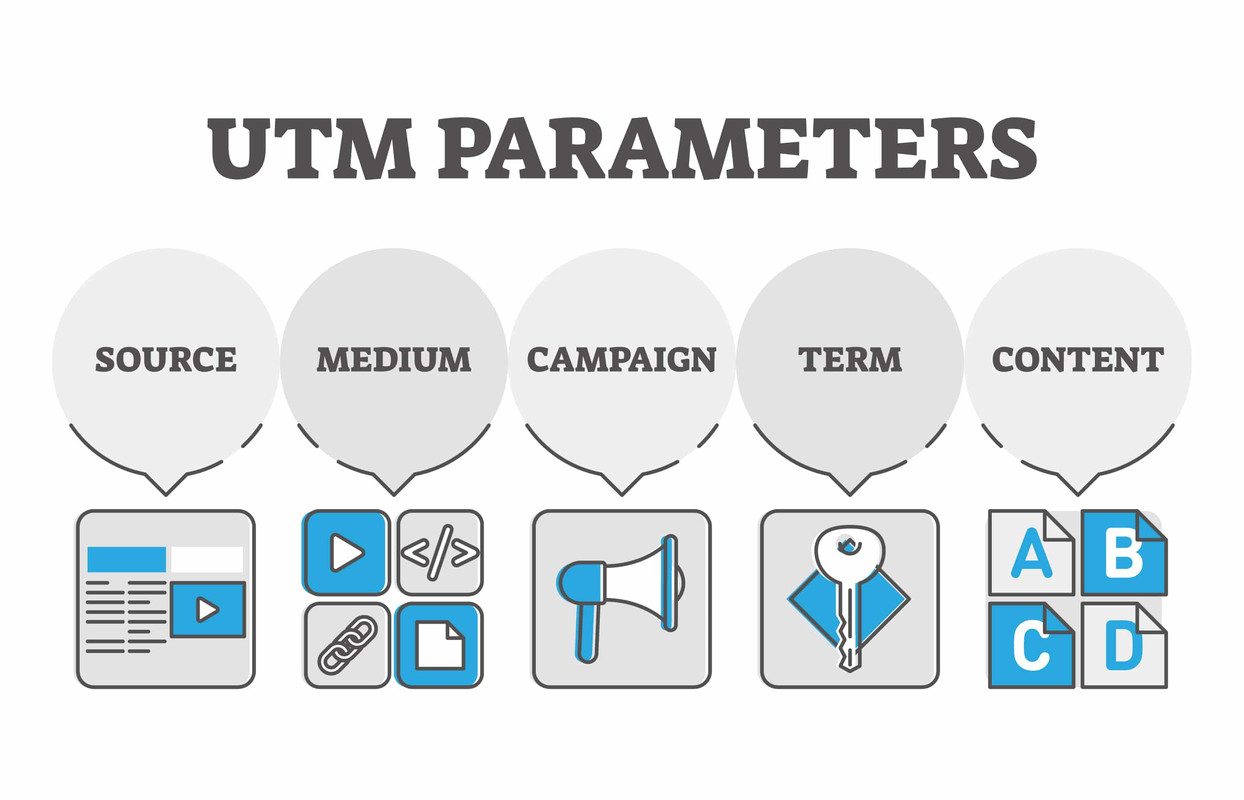
UTM (Urchin Tracking Module) parameters are tags you add to a URL to provide information about the traffic source. When someone clicks a link with UTM parameters, the data is sent to your analytics platform—most commonly, Google Analytics—so you can track where the traffic is coming from.
Here’s an example of a URL with UTM parameters:
https://www.example.com/?utm_source=facebook&utm_medium=social&utm_campaign=summer_sale
Why Use UTM Parameters?
UTM parameters help answer questions like:
Which social platform drives the most traffic?
Which email newsletter gets the most clicks?
Which ad campaign converts best?
Without UTM tracking, all your marketing efforts could be lumped together under vague categories like “Direct” or “Referral” in Google Analytics, making it difficult to make data-driven decisions.
Read Also: How To Make Money Through Digital Marketing In 2025 Ways?
The Five UTM Parameters You Should Know
There are five standard UTM parameters. The first three are essential, while the last two are optional:
utm_source (Required)
Identifies the source of your traffic (e.g., google, facebook, newsletter).
utm_medium (Required)
Identifies the marketing medium (e.g., cpc, social, email, banner).
utm_campaign (Required)
Identifies the campaign name (e.g., summer_sale, launch2025).
utm_term (Optional)
Used for paid search to identify keywords (e.g., running+shoes).
utm_content (Optional)
Used to differentiate between ads or links that point to the same URL (e.g., header_link, image_ad).
How to Create UTM Parameters (Step-by-Step)
Step 1: Use a UTM Builder
Google’s free Campaign URL Builder is a popular tool to create UTM-tagged URLs.
Step 2: Fill in the Fields
Input the destination URL and complete the fields:
Website URL: Your landing page (e.g., https://www.example.com/)
Campaign Source: facebook
Campaign Medium: social
Campaign Name: spring_promo
Campaign Term: (optional)
Campaign Content: (optional)
The tool will generate a URL like this:
https://www.example.com/?utm_source=facebook&utm_medium=social&utm_campaign=spring_promo
Step 3: Copy and Paste
Use the tagged URL in your ads, emails, or social media posts.
Best Practices for Using UTM Parameters
Be Consistent with Naming
Use lowercase and avoid spaces (use underscores instead). Consistency ensures clean data in your analytics reports.
utm_source=facebook
utm_source=Facebook Ad
Don’t Overuse UTM Tags on Internal Links
Only use UTM parameters for external campaigns. Tagging internal links can mess up tracking.
Use Shorteners for Long URLs
UTM links can be lengthy. Use a link shortener like Bitly for cleaner sharing, especially on social media.
Document Your Campaigns
Maintain a spreadsheet of your UTM-tagged URLs. This helps track what you’ve used and avoids duplication or confusion.
How to Track UTM Campaigns in Google Analytics?
Once your UTM links are active, you can track performance in Google Analytics:
Google Analytics 4 (GA4):
Go to Reports > Acquisition > Traffic acquisition. Look for the Session source/medium or Session campaign dimension.
Universal Analytics (older version):
Navigate to Acquisition > Campaigns > All Campaigns.
Here you’ll see metrics like sessions, bounce rate, and conversions attributed to each UTM-tagged campaign.
Common Mistakes to Avoid
Typos in parameters (e.g., utm_source=Facebok)
Mixing naming conventions (e.g., email_newsletter vs. Email_Newsletter)
Not tagging all campaign links, leading to incomplete data
Tagging links without a clear campaign structure, making reports harder to interpret
Final Thoughts
UTM parameters are a easy yet powerful tool to supercharge your advertising and marketing analytics. By because it have to be tagging your marketing campaign URLs, you’ll benefit clean insight into what’s operating—and what’s now not—during all of your channels. If you haven’t began out using UTM tracking yet, now might be the time. Set up a naming convention, use a URL builder, and begin accumulating actionable records to optimize your campaigns for higher ROI.
 White Clover Markets
If you are strolling digital advertising and marketing campaigns, understanding which channels, ads, or content material pressure the most traffic and conversions is critical. That’s in which UTM parameters are available in. These small snippets of textual content introduced to the end of a URL will let you song the performance of your campaigns in Google Analytics and different tracking gear.
In this blog, we’ll give an explanation for what UTM parameters are, why they may be essential, and how you can set them up effectively to monitor your advertising campaigns successfully.
Read Also: What strategy would you implement to achieve a successful marketing campaign?
What Are UTM Parameters?
UTM (Urchin Tracking Module) parameters are tags you add to a URL to provide information about the traffic source. When someone clicks a link with UTM parameters, the data is sent to your analytics platform—most commonly, Google Analytics—so you can track where the traffic is coming from.
Here’s an example of a URL with UTM parameters:
https://www.example.com/?utm_source=facebook&utm_medium=social&utm_campaign=summer_saleWhy Use UTM Parameters?
UTM parameters help answer questions like:
Which social platform drives the most traffic?
Which email newsletter gets the most clicks?
Which ad campaign converts best?
Without UTM tracking, all your marketing efforts could be lumped together under vague categories like “Direct” or “Referral” in Google Analytics, making it difficult to make data-driven decisions.
Read Also: How To Make Money Through Digital Marketing In 2025 Ways?
The Five UTM Parameters You Should Know
There are five standard UTM parameters. The first three are essential, while the last two are optional:
utm_source (Required)
Identifies the source of your traffic (e.g., google, facebook, newsletter).
utm_medium (Required)
Identifies the marketing medium (e.g., cpc, social, email, banner).
utm_campaign (Required)
Identifies the campaign name (e.g., summer_sale, launch2025).
utm_term (Optional)
Used for paid search to identify keywords (e.g., running+shoes).
utm_content (Optional)
Used to differentiate between ads or links that point to the same URL (e.g., header_link, image_ad).
How to Create UTM Parameters (Step-by-Step)
Step 1: Use a UTM Builder
Google’s free Campaign URL Builder is a popular tool to create UTM-tagged URLs.
Step 2: Fill in the Fields
Input the destination URL and complete the fields:
Website URL: Your landing page (e.g., https://www.example.com/)
Campaign Source: facebook
Campaign Medium: social
Campaign Name: spring_promo
Campaign Term: (optional)
Campaign Content: (optional)
The tool will generate a URL like this:
https://www.example.com/?utm_source=facebook&utm_medium=social&utm_campaign=spring_promoStep 3: Copy and Paste
Use the tagged URL in your ads, emails, or social media posts.
Best Practices for Using UTM Parameters
Be Consistent with Naming
Use lowercase and avoid spaces (use underscores instead). Consistency ensures clean data in your analytics reports.
utm_source=facebookutm_source=Facebook AdDon’t Overuse UTM Tags on Internal Links
Only use UTM parameters for external campaigns. Tagging internal links can mess up tracking.
Use Shorteners for Long URLs
UTM links can be lengthy. Use a link shortener like Bitly for cleaner sharing, especially on social media.
Document Your Campaigns
Maintain a spreadsheet of your UTM-tagged URLs. This helps track what you’ve used and avoids duplication or confusion.
How to Track UTM Campaigns in Google Analytics?
Once your UTM links are active, you can track performance in Google Analytics:
Google Analytics 4 (GA4):
Go to Reports > Acquisition > Traffic acquisition. Look for the Session source/medium or Session campaign dimension.
Universal Analytics (older version):
Navigate to Acquisition > Campaigns > All Campaigns.
Here you’ll see metrics like sessions, bounce rate, and conversions attributed to each UTM-tagged campaign.
Common Mistakes to Avoid
Typos in parameters (e.g.,
utm_source=Facebok)Mixing naming conventions (e.g.,
email_newslettervs.Email_Newsletter)Not tagging all campaign links, leading to incomplete data
Tagging links without a clear campaign structure, making reports harder to interpret
Final Thoughts
UTM parameters are a easy yet powerful tool to supercharge your advertising and marketing analytics. By because it have to be tagging your marketing campaign URLs, you’ll benefit clean insight into what’s operating—and what’s now not—during all of your channels. If you haven’t began out using UTM tracking yet, now might be the time. Set up a naming convention, use a URL builder, and begin accumulating actionable records to optimize your campaigns for higher ROI.